
The problem
The workflow changes, but the software does not. People become responsible for bridging the gaps and keeping records consistent.
GIMS is an open-source database and workflow platform for work that does not fit cleanly into spreadsheets or rigid off-the-shelf software.
When the main application cannot express the real process, staff fill the gaps with side spreadsheets, folders, and remembered steps. GIMS makes that process explicit, structures the information that needs to survive each step, and gives reporting, APIs, and automation a shared foundation.
First paying clientOpen core on GitHubPython · FastAPI · React + Glide · SQLThe workflow changes, but the software does not. People become responsible for bridging the gaps and keeping records consistent.
Configurable schemas describe the records and actions. The engine generates workbenches, run logs, and artifacts from those definitions.
Information can be reused across the process. A changed workflow can become a configuration change instead of another application rebuild.
The grammar describes nouns (things you track), verbs (actions), adjectives (descriptors), adverbs (context), conjunctions (run overrides), and prepositional phrases (intent that triggers an artifact). These definitions generate the data model, workbenches, run logs, and artifacts. Laboratory, onboarding, and approval workflows can be represented as different schemas over the same engine.
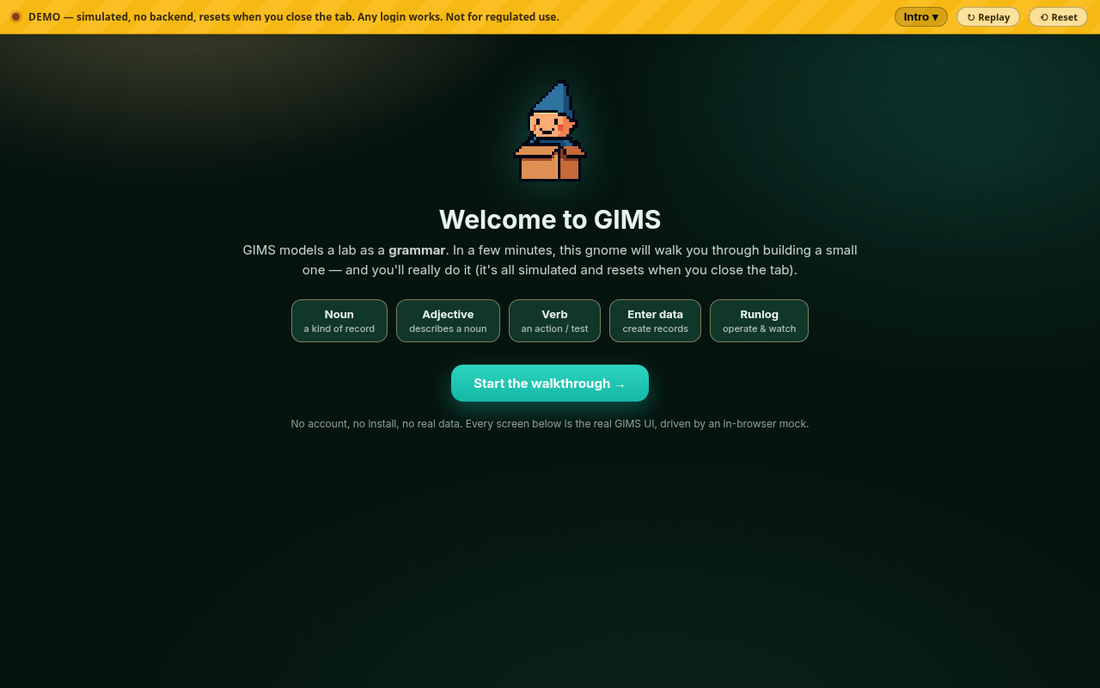
The demo is a gnome-led, chaptered walkthrough that builds a small GIMS grammar end to end. In a few minutes you define a noun, describe it with an adjective, define a verb, enter a record, and operate in the runlog. It looks and behaves like GIMS, but it has no real backend, no real authentication, and stores nothing. Any login works.
Real front end, mock backend: mock/gims-mock.js overrides window.fetch before the page bundles load and answers GIMS endpoint paths from an in-memory store. The React pages are the prebuilt bundles from GIMS itself, never regenerated in the demo.
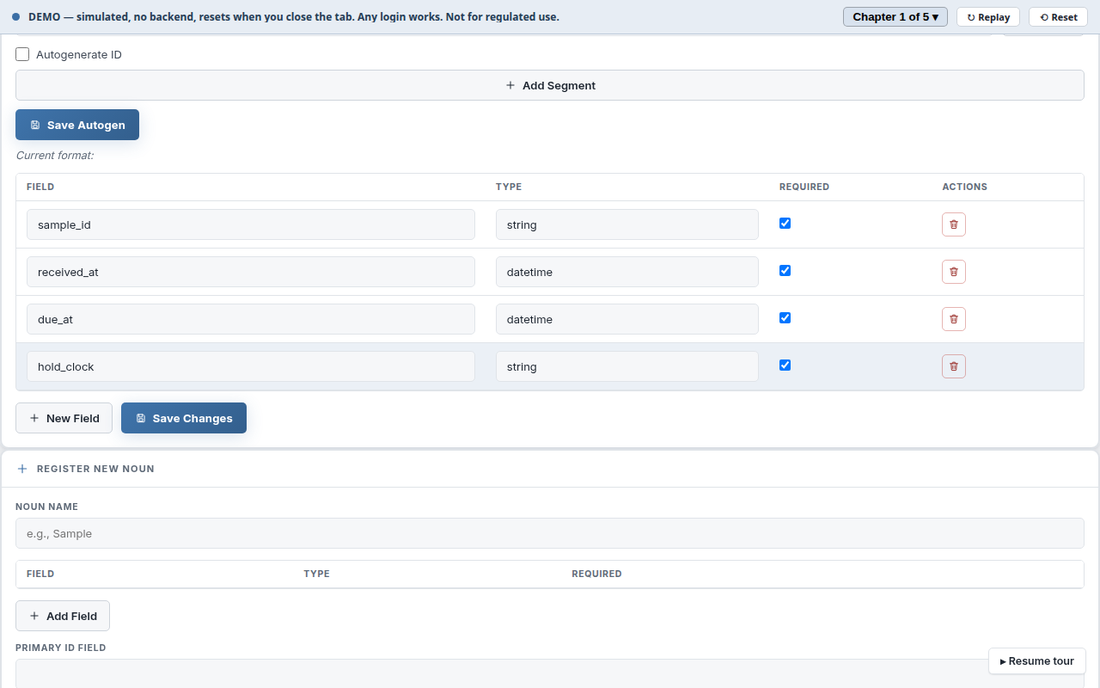
A noun is a kind of record. The gnome picks the Demo Lab project and the Sample noun, switches the schema from View to Edit, and adds three fields: received_at and due_at, both datetime, and a hold_clock field that the next chapter turns into a live timer.
This is the noun configure workbench with the tour peeked away, so the screen underneath is the one a user gets.
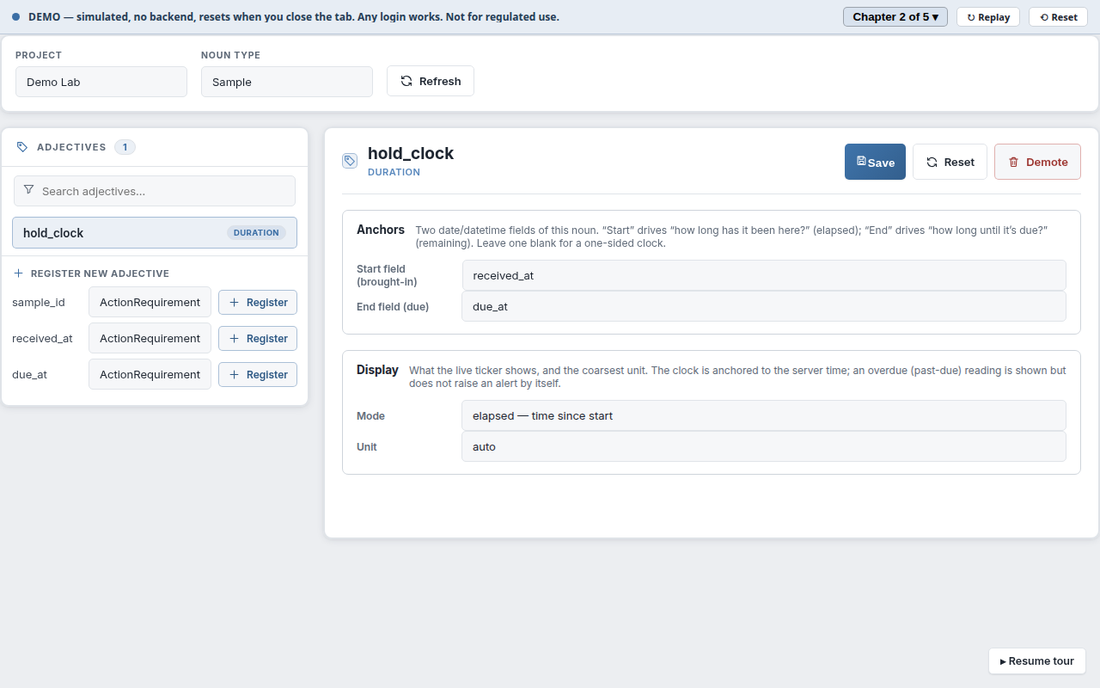
An adjective describes a noun. In the adjective editor, hold_clock is registered as a Duration, anchored between received_at and due_at, in the mode that shows both elapsed and remaining time. Adjectives in GIMS include tags, references, lists, and these live Duration tickers.
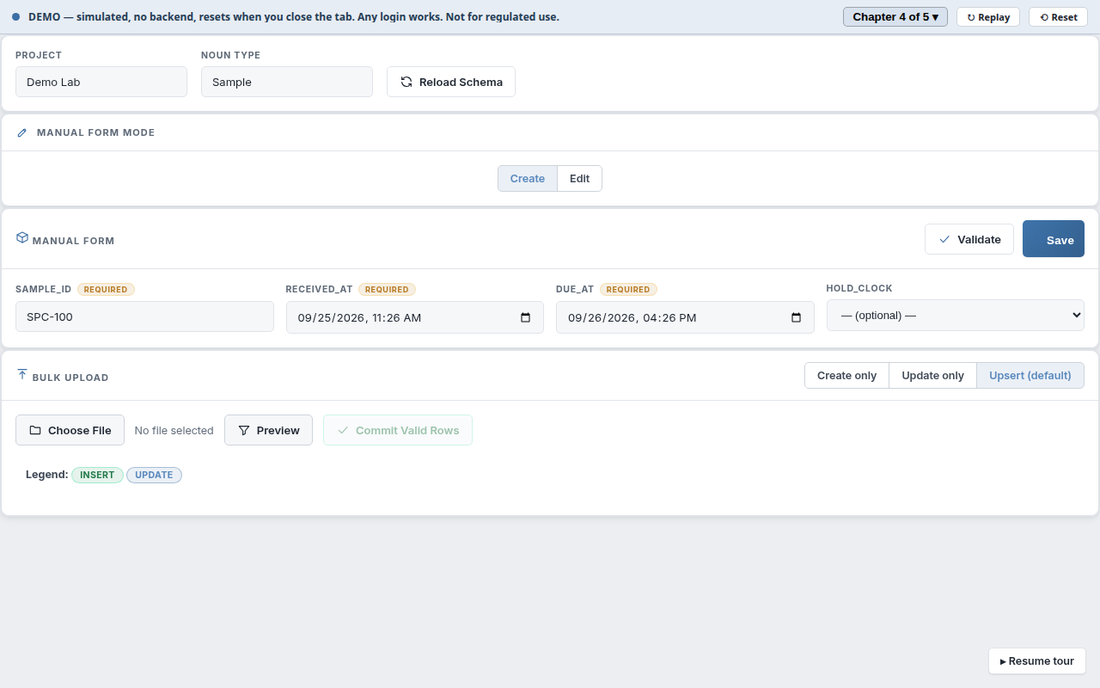
A verb is an action you run on a noun. Chapter 3 defines an Intake verb, in a group called Lab Runs, that acts on Sample. Chapter 4 enters a real Sample record for it to operate on: the noun workbench renders a form from the schema, and the gnome fills in an id and the received and due times.
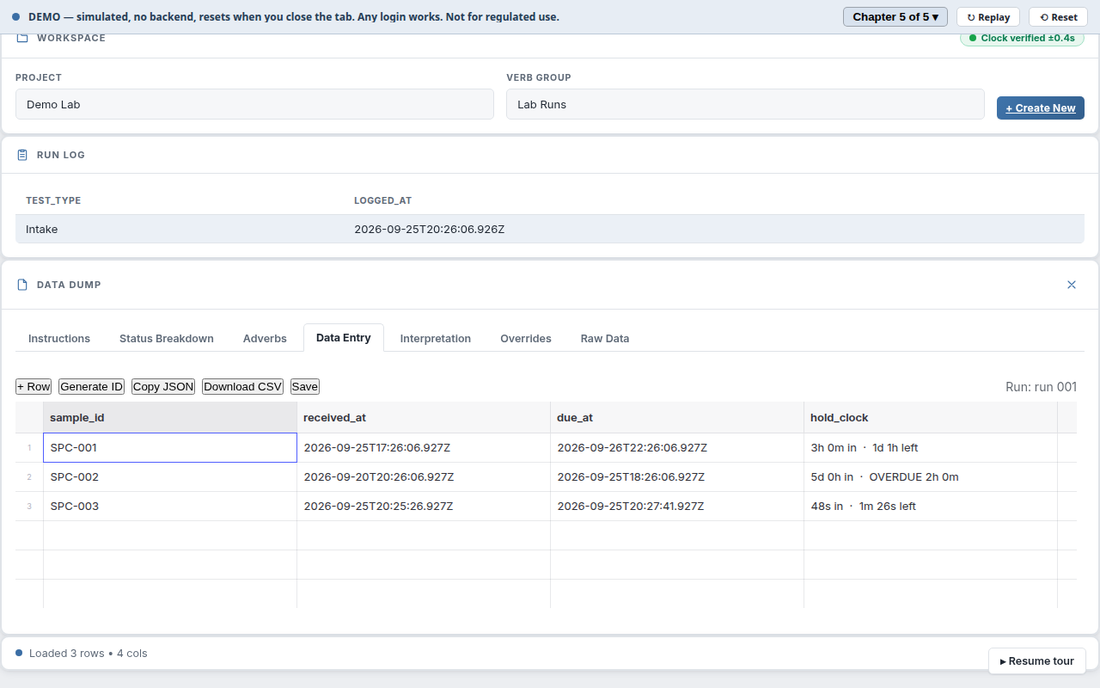
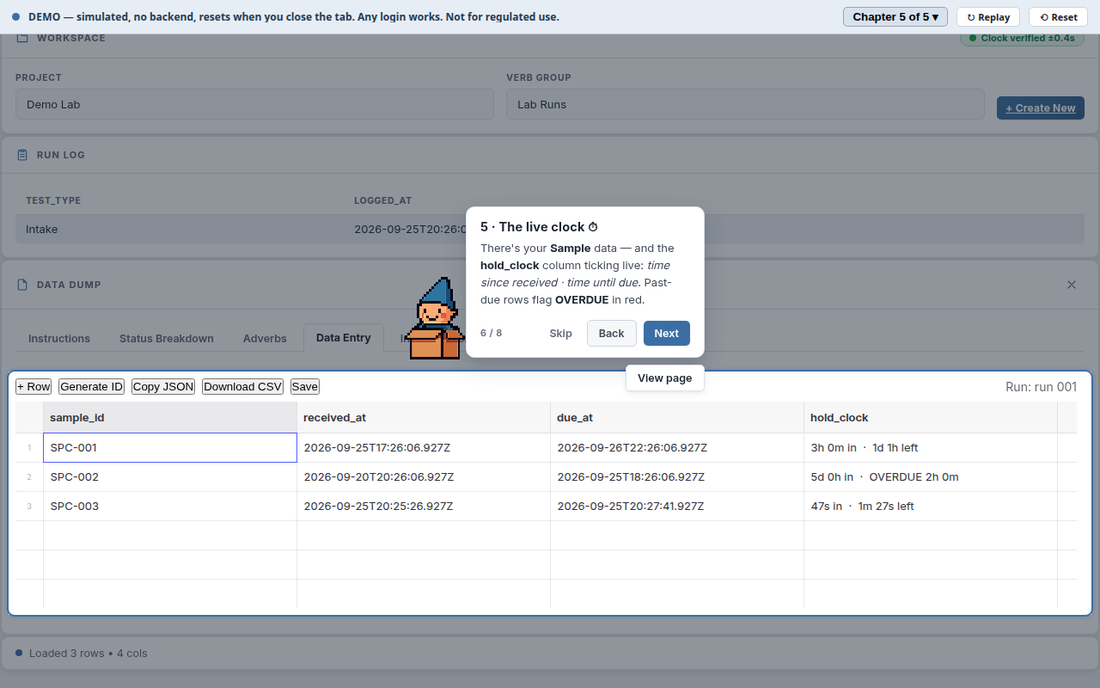
The runlog is where you run verbs and work the data. The Intake run opens in the Data Entry grid and the hold_clock column ticks live: time since received, time until due. Past-due rows flag OVERDUE.
The badge in the corner reads Clock verified: the clock is NTP-verified, the same trusted time that stamps the audit trail in the regulated product.
The real, 21 CFR Part 11-defensible GIMS, with keyed integrity chaining, server-of-record custody, validated time, and electronic signatures, is a separate, private system. None of that backend logic lives in the demo repository. The demo exists to show the workflow and the UI, not for regulated use, and it says so in a yellow bar on every screen.
I consolidated duplicated backend logic, integrated SQL for the backend and React for the frontend, strengthened controls for audit readiness, and improved the test suite so it reflected the application’s real operating processes.
The refactor was one branch, refactor/foundation: 152 commits across 533 files in four days, every step proven behaviour-neutral before it was committed. What made that safe: routes are decorator-defined and the guard baselines are keyed by path and name, not filename, so a move plus an import rewrite is provably wiring-neutral.
api/        HTTP/JSON routers (the API boundary) + api/app.py ASGI entrypoint
core/       the engine — words (nouns/verbs/adjectives/...), handlers, lineage, audit,
            orchestration (nodes/modules/registry), storage
nodes/      orchestration "nodes" (page nodes, infra nodes) wired into modules
modules/    module definitions that compose nodes into pages
frontend/   React sources (built into static/lib by build.mjs)
static/     built JS/CSS assets, icons, the guided-tour engine, skins
projects/   example projects (LIMS-System, DurationDemo, RunlogTest)
tools/      utilities
tests/      pytest suite
The dependency direction is strict: core/ never imports from api/, nodes/, or modules/. Everything is defined in JSON schemas per project; Python parsers and phrase-handlers automate calculations and artifact generation.
The repository on GitHub is the open-core edition of GIMS: the complete schema/grammar engine and every workbench, editor, dashboard, guided tour, and skin, as a fully runnable, single-user GIMS.
Three things are intentionally not in this build. They make up the proprietary layer that turns GIMS into a regulated-industry product, and the Compliance Relay demo shows them in action. In this build every request is treated as a single fully-authorized local user, workflow gates complete without a sign-off, and no audit trail is written. Run it locally to explore the engine; do not deploy it as a shared service.
git clone https://github.com/BMA-Corgea/gims-oss
cd gims-oss
python3 -m venv .venv && source .venv/bin/activate
pip install -r requirements.txt
python -m uvicorn api.app:app --host 127.0.0.1 --port 8100
Then open http://127.0.0.1:8100/. You land on the launcher, no login required. Pick the LIMS-System demo project to explore configured nouns and verbs, run the runlog workbench, and try the guided tours. ./start.sh does the same with venv bootstrapping.
GIMS has its first paying client: one client paid to start the project. The open core is on GitHub. That is the stage it is at: a working system with a first paid validation, not a mature product at scale. Where it goes next is on How I work.
Show me one task your team does by hand. In 20 minutes, I’ll tell you if it’s worth automating and what it would cost.